Best OnlyFans App Guide – Features, Pricing, Setup & Security
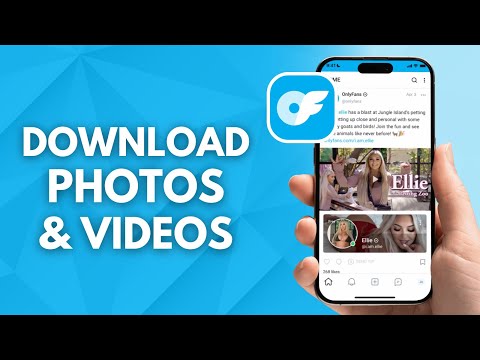
Best OnlyFans App – Practical Guidance for Creators and Fans
What Is the OnlyFans App?
The OnlyFans app is a mobile and web platform that allows creators to share exclusive photos, videos, and messages with paying subscribers. It functions as a subscription‑based social marketplace where content is monetized directly between the creator and the fan.
While the core service is the same across devices, the app experience can vary depending on the operating system, device performance, and regional app store policies. Understanding these nuances helps you decide whether a particular version qualifies as the best only fans app for your needs.
Who Should Use the OnlyFans App?
Both creators and fans benefit from a well‑designed app. Creators looking to grow revenue, schedule posts, and interact with their audience need tools that simplify content management. Fans who want seamless streaming, secure payments, and reliable notifications also rely on a robust app experience.
Typical users include:
- Professional influencers and models monetizing exclusive content
- Independent artists, fitness trainers, and chefs offering premium tutorials
- Fans searching for a private, ad‑free viewing environment
Core Features and Benefits
The best only fans app bundles several essential features that address both creator and subscriber expectations. Below is a quick snapshot of the most requested capabilities.
- Dashboard: Central hub for earnings, subscriber analytics, and content scheduling.
- Automation: Auto‑post recurring content, send welcome messages, and set up pay‑per‑view triggers.
- Integration: Connects with payment processors, social media, and cloud storage services.
- Security: Two‑factor authentication, encrypted media storage, and content watermarking.
These features help creators scale their business while giving fans a reliable, high‑quality viewing experience.
Pricing and Subscription Models
Understanding the financial side of the OnlyFans app is crucial before you commit. The platform typically takes a 20% commission on creator earnings, with the remaining 80% flowing directly to the creator’s payout account.
Subscription options include:
- Monthly recurring subscription (most common)
- Pay‑per‑view (PPV) for special content
- Tips and direct messages with optional pricing tiers
Creators can set flexible pricing, ranging from a few dollars to several hundred, depending on the exclusivity of the material.
Setting Up and Getting Started
Getting the best only fans app up and running requires a few clear steps. Follow this short checklist to avoid common pitfalls:
- Download the official app from the Apple App Store or Google Play Store.
- Create an account using a valid email and secure password.
- Complete identity verification – this is mandatory for payouts.
- Link a payment method (bank account or debit card).
- Customize your profile, upload a banner, and set your subscription price.
- Publish your first piece of exclusive content.
After the initial launch, explore the dashboard to fine‑tune analytics, schedule future posts, and engage with your audience through direct messages.
Security, Privacy, and Reliability
Security is a top concern for anyone handling paid digital content. The OnlyFans app employs SSL encryption for data in transit and stores media on secure servers with limited access. Two‑factor authentication (2FA) is strongly recommended for creators to protect earnings.
Reliability metrics such as uptime, server response time, and content delivery network (CDN) coverage are handled by the platform’s backend infrastructure. While occasional outages can occur, the system is built to scale with high traffic spikes during major releases.
Comparison of Leading OnlyFans‑Style Apps
Below is a concise table comparing the official OnlyFans app with three popular alternatives that many creators consider when looking for the best only fans app experience.
| Feature | OnlyFans (Official) | FanCentro | Patreon | Ko-fi |
|---|---|---|---|---|
| Commission Rate | 20% | 15% + transaction fees | 5%–12% tiered | 0% (tips only) or 5% on subscriptions |
| Content Types Supported | Photos, videos, live streams, messaging | Photos, videos, audio, messaging | Photos, videos, podcasts, articles | Photos, videos, digital downloads |
| Pay‑Per‑View | Yes | Yes | No | No |
| Automation Tools | Basic scheduling | Advanced workflow automation | Limited to post scheduling | None |
| Global Availability | 200+ countries | 130+ countries | 180+ countries | 150+ countries |
Each platform has its own strengths. If you prioritize a low commission and robust PPV options, the official OnlyFans app remains the top contender.
Common Use Cases
Understanding typical scenarios helps you decide whether the best only fans app aligns with your goals.
Creator Scenario: Fitness Coaching
A personal trainer can upload daily workout videos, offer weekly live Q&A sessions, and charge a monthly subscription for full‑access content. The app’s tip system also allows fans to pay extra for one‑on‑one coaching.
Fan Scenario: Exclusive Entertainment
A fan interested in behind‑the‑scenes footage can subscribe to their favorite creator, receive notifications when new content drops, and safely tip for special requests without leaving the app.
Final Checklist Before Choosing the Best OnlyFans App
Before you commit, run through this quick checklist to ensure the platform meets your expectations:
- Does it support the content format you need (photos, videos, live streams)?
- Is the pricing structure aligned with your revenue goals?
- Are security features like 2FA and encrypted storage in place?
- Does the dashboard provide the analytics you require?
- Is customer support responsive and available in your region?
For a reliable, well‑known option, the official OnlyFans app often fulfills these criteria, making it a solid choice for most creators and fans.
Visit the best onlyfans list safe to explore curated resources and community recommendations that can further guide your decision.